

-
Rockhopper 62 cyan and black ink problem
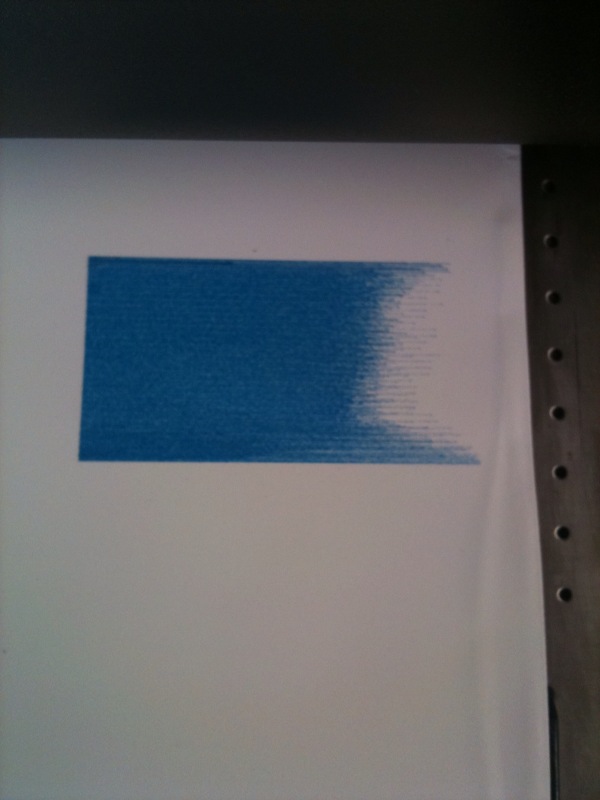
I wonder if someone can give us a few pointers on a problem we are having. Just purchased a Rockhopper62 2nd hand. Saw it working it has had a recent engineer service and new heads fitted. Before we picked it up the capping station was replaced after an ink spillage when pipes were left off by the previous owner who replaced this himself. The printer was then shipped by us in a van 300miles. The problem we are getting is that if we try to print a cyan block it initially starts to print it then the ink flow stops. The same happens with black except the black changes to magenta in the block. If I do a nozzle check it does spray both black and cyan. We have tried a deep clean checked the capping station( found pipe off one of the caps but this hasnt made a difference).The dampers all appear to have ink in. We have taken covers off but cant find anything that looks wrong.
Is it likely that a fault on the capping station would have this type of effect. If pipework on the capping station is not connected correctlly could this have an effect? Would be glad of any suggestions that may shed light on this type of issue. Also if anyone knows a good mutoh engineer in the portsmouth/hampshire area they could recommend that could be useful if we dont get anywhere.



Log in to reply.