

Home › Forums › Sign Making Discussions › File Swapping › help please on a trace, X3 user ?
-
help please on a trace, X3 user ?
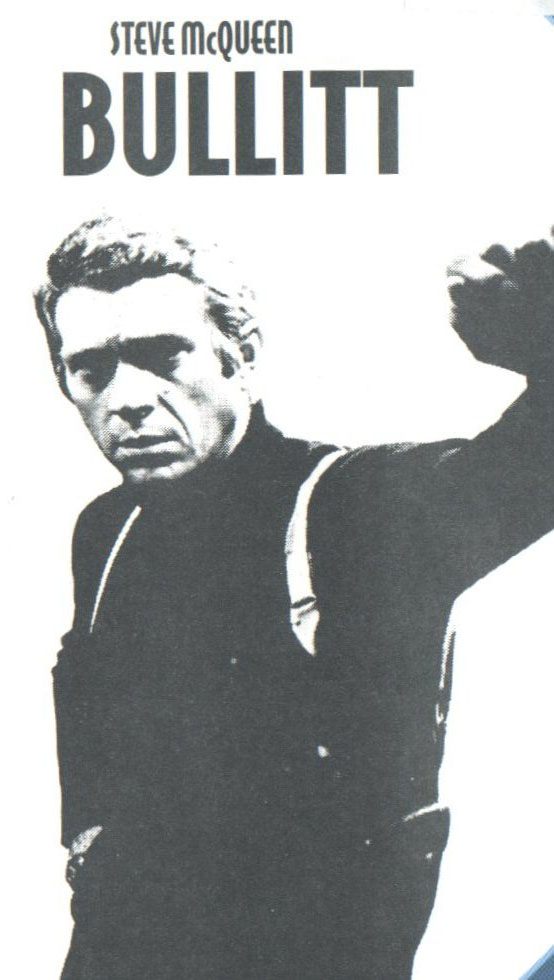
Posted by Hugh Potter on 20 June 2007 at 13:08hi, doing a job for a customer which involves a trace of the attached jpeg (that’s as good as it gets) i’m wondering if someone with X3 might do a quick bitmap trace for me, to see if it comes out any better than my corel 12 trace does,
the over-all effect i have looks great, but close up it’s fairly pixelated ( i didn’t spot it before now), and cdr12 doesn’t seem able to do a better job than i’ve already done,
really need to cut it today of poss, any help greatfully apreciated !
thanks.
Hugh
Peter Normington replied 18 years, 6 months ago 7 Members · 12 Replies -
12 Replies
-

I had a bit of a muck about with it. I either got the same result as you, or it was simplified far too much. My opinion: cut it pixelly (real word?) because it will look cool. Corel wouldn’t even allow me to reduce the nodes, probably because of the amount of them.
Having said all this, I’m not much of an expert with autotrace, never use it.
-

Hmmm.
My experience is that, for irregular users like myself, a lot of trial and error is necessary. We’re also not helped by the fact that the image is grey rather than black.
Anyway, here’s my quick effort. Given a bit of time I can probably improve it.
-

Its still a good finish John, to darken grey images I use Photoshop / Image / Adjustments / Levels and move the slider to the desired effect.
Alan
-

thank you both, i have considered drawing it, but feel i’d either miss too much, or put in too much detail, i don’t often use trace, but it has it place !
-

done this in signlab, took 2 minutes,
just as a comparison, but needs settings adjusted , as it can do better
Peter
-
Thanks Pete,
i’ll take a good look at em all in the morning, decide which to cut, last night is now catching up !
btw, before i trace, i always convert bitmap to lineart, and adjust accordingly, as opposed to using the grey original. though i’m sure tha what you all did !!
-

-

Hi Peter,
how do you do this in signlab is it just a scan and trace? this is usually how I do it but this image wont scan in neither do a lot of images jpegs seem to get the best results – is that your experience peter? (sorry to go off topic)
-
Mordax
all I did was drag the low res image into sign lab, convert it to black and white, and then trace (standard complex log settings) oh, and I upped the resolution first using bicubic formulae, which smooths out the jaggiesPeter
-
mmmm I think my sign lab skills are lacking! Which version are you using?
We use scan and trace which is fine if the image is good sometimes even if not so good – this one wont open but perhaps because my computer has hijacked it and turned it into a picture it9 file??? I never even use picture it?????
But the process you explain has me lost!?
-

Log in to reply.