

Home › Forums › Sign Making Discussions › General Sign Topics › Cannot connect Roland Versacamm to network??
-
Cannot connect Roland Versacamm to network??
Posted by Carl Slater on 6 December 2016 at 12:45I have recently changed the router and my Versacamm will now not connect , help please I desperatly need my printer back on line ?
I have an ethernet junction box leading to PC both internet and printer share ,
I checked i p on printer which was different to PC which I changed but still not connecting 🙁
I have tried to change ip on versa works but will not change ….Any advice please guys ,
Carl
Carl Slater replied 9 years ago 2 Members · 13 Replies -
13 Replies
-

Hi Carl,
have you tried the printserver tool that is on the versaworks disk? Whenever i have lost connection after a reinstall that usually works? find s the printer and sorts the ips etc?cheers
Dan -

Hi Dan thanks for advice I have installed printserver but what do i do now ?
Regards Carl
-
run the program and it should find your printer and make the connection.
-

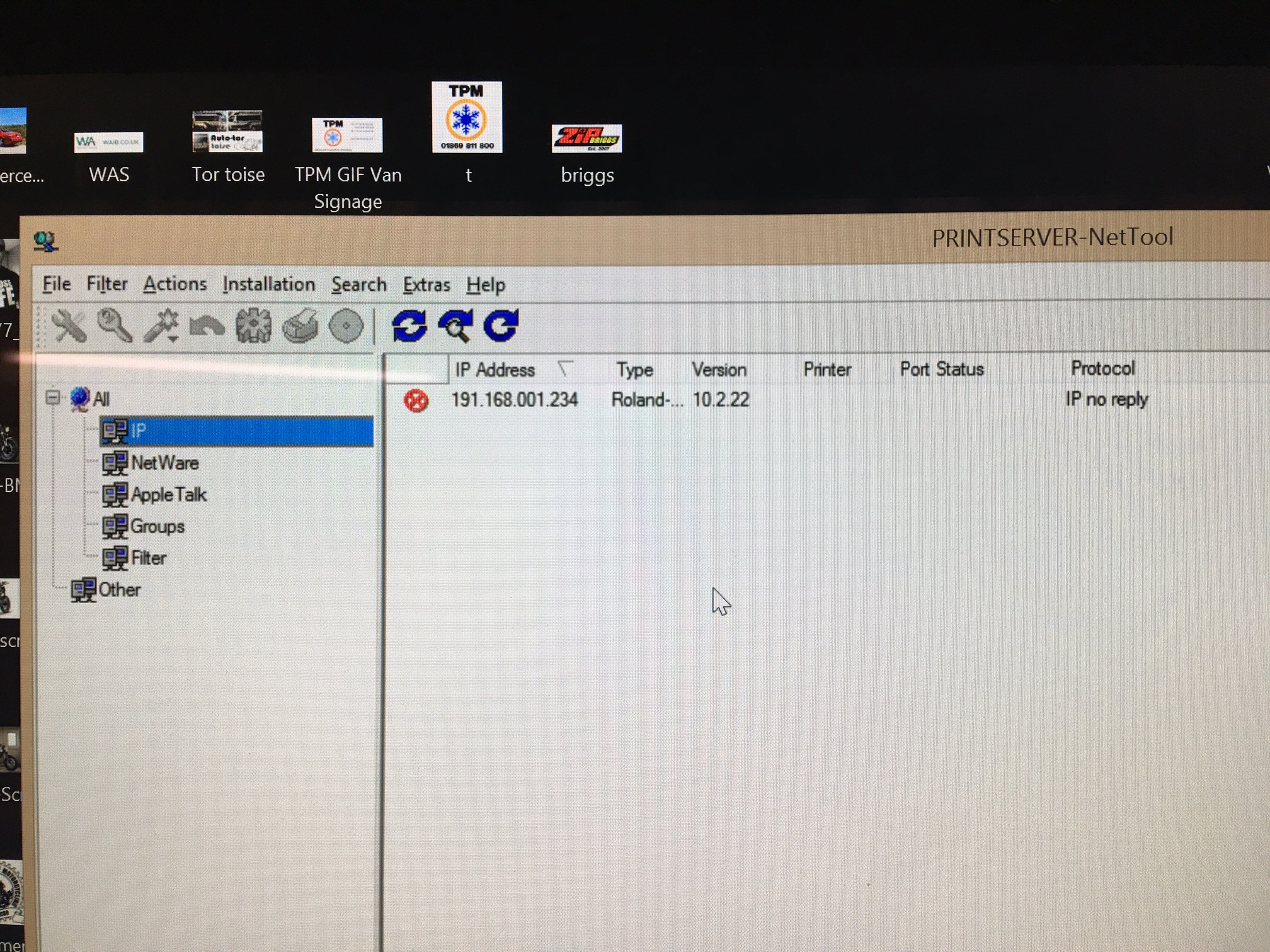
I tried to search for printer and came up with this IP no reply ? -
my version is 1.8.6 printserver network tool. have you run the installation wizard?
-
hi , yes I have run the installation wizard but just comes up with no ip address ?
-
sorry, cant see your photos so not sure what your screen shots are saying?
-
hi Carl, ok photos appear in the app on my phone. have you tried taking that Ip address and manually entering into versaworks? printer settings, manually enter IP, then verify then apply?
-
Hi, many thanks for info , in the end i called my supplier who talked me all through it .
all good now 🙂Strange hows pics appear on app and not the PC.
Cheers Carl
-
as you said ip address , randomly changed for some reason … but good now 🙂


Log in to reply.