

Home › Forums › Sign Making Discussions › General Sign Topics › Please can i have some help with layering vinyl thanx!!!
-
Please can i have some help with layering vinyl thanx!!!
Posted by Moey Indhera on 21 May 2011 at 15:01Hi all,
Just wondering if somebody can tell me whats the best way to overlay graphics which are quite big.
i have 760mmx3 meters big graphics with reg marks. other piece same size with reg marks to accomodate and masked up. i know for small pieces i would just take backing off and squeege but with this type of size its different. wet apply might soak backing and may cause problems when it comes to fitting with backing ripping and sticking to the vinyl. the graphics is for a van.
how would you pros do this??
thanx a mill 😛
Gavin Conway replied 14 years, 7 months ago 8 Members · 12 Replies -
12 Replies
-

3m is taking the mick could you not have broken it down a bit.
if i had to, – fit the first bit then the over graphic fit wet.
-
 quote Chris Wool:3m is taking the mick could you not have broken it down a bit.
if i had to, – fit the first bit then the over graphic fit wet.
i’d do the same a Chris, but would do the second layer dry, if your fit to apply the first dry, you can apply the second dry if the first is stuck down
Ian -

If your confident i’d do as Ian says if not do as Chris says and apply the second wet.
-

All of my work is layered vinyl anything that size i Very loosely tack it down DRY using the reg marks (2 people on that size) then use a roller from the middle out. nice n easy.
If you are using perspex for the first layer lightly tacking is not an option, do the first layer wet, let it dry then do the layers dry with the roller dry as normal. 😉
-

Chris, What did you mean by 3m is taking the mick Lol!! 😀
Also Craig, you mentioned most your work is layered. Did you mean while both layers are still on the backing?? or while one layer is fit?? Can it be done while they are both on the backing still??
Thanx :lol1:
-

it all depends on the design, easy enough to lay up 3m on the bench in sections, and even on site, I rarely use reg marks though, always line up the layers with the a rectangle cut around both, far more acurate.
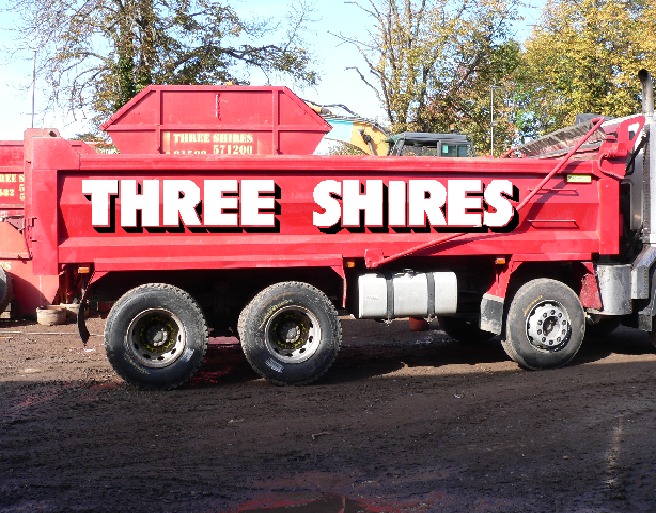
these are a a fair bit longer than 3m. (sorry only mock ups) but we have done these in reality, laid up on the bench, and on the vehicle, always dry.
Peter
Attachments:
-
Same as Peter, either on bench or on job and always dry.
Lenght is not a problem, only thing you might find is that the top layer will stretch a little whilst applying onto the bottom layer so if possible you might want to split the graphic in sections (where possible) and re-join using masking tape. -
yes pete 3 letters at a time at that size would be comfortable for me and the humble box to align it all up.
the humble box drawn with just one click of the mouse, i don’t think that people realize how versatile it is.
its a weeding box, very accurate registration box. a alignment tool when fitting, and sometimes you only want one corner for it all to fall in to place.
-

Hi Chris & Peter.. with regards to "the humble box" …. some info required on this please.. do you draw the box as a weeding area around the graphic, then trim around it a bit and use it to line up to layer it all up? so just as if you have reg marks all round?
-
What they mean is, When you cut your graphics make sure that a rectangle is around the image and change the colour to match each time you cut a layer. then trim the app tape to the border and violla! you have an automatic reg and as the guys said its perfect every time!
quick word of warning though -dont forget to remove the weeding border or you are buggered and also on the scale of the sign for this job i would cut the tape and apply the letters a bit at a time as previosly stated. 🙂

Log in to reply.